Why Asset Management Software Fails Without Physical Verification and FAR Reconciliation

Asset management software is useful. ERP systems are useful. Fixed asset management tools are useful.

But there is one mistake many companies make:

They buy software before cleaning their asset data.

The result is simple:

The software is new, but the asset records are still wrong.

In many organizations, the Fixed Asset Register does not match the assets available on the ground. Assets appearing in books are not found physically. Assets available physically are not recorded properly. Locations are incorrect. Duplicate records exist. Scrapped assets continue to appear in FAR.

In such a situation, asset management software cannot solve the problem by itself.

It will only manage the same wrong data in a more structured format.
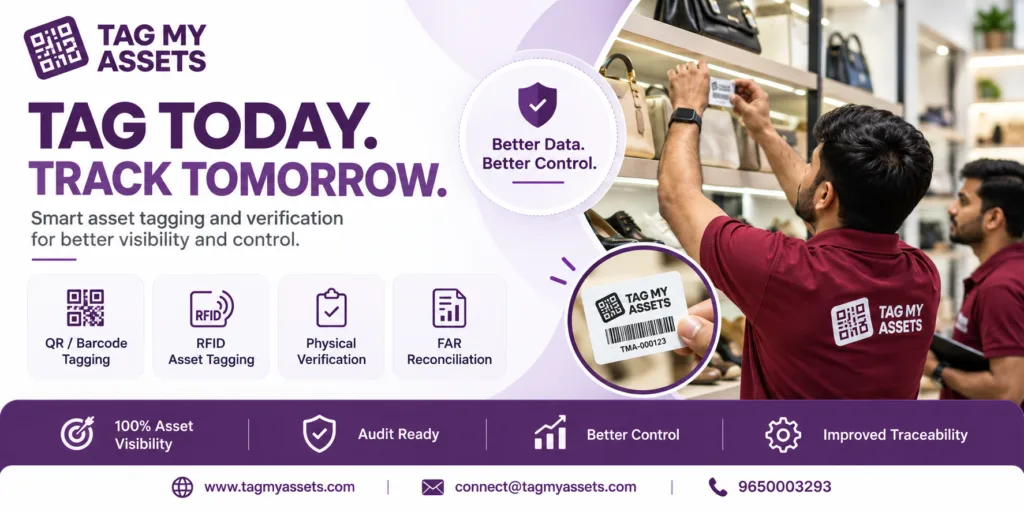
Asset management software implementation supported by physical verification, asset tagging, and FAR reconciliation services.

A Real Situation Many Companies Face

Recently, a prospective client approached us after purchasing an asset management software solution.

The software vendor was ready to start implementation and requested the asset master data for migration.

However, one major problem emerged.

The company’s Fixed Asset Register did not match the physical assets available on the ground.

Some assets were appearing in FAR but could not be located physically.

Some assets were available on site but were missing from the records.

Many asset locations were incorrect.

Some records were duplicated.

The client asked a very practical question:

“What data should we upload into the software if our asset records themselves are not accurate?”

This is not an isolated situation.

This is one of the most common problems companies face during asset management software implementation.

The Fundamental Misunderstanding

Many companies believe:

“Once we buy asset management software, our asset management problem will be solved.”

This is not correct.

Software is a tool for managing data.

It cannot automatically verify physical assets.

It cannot identify ghost assets unless the physical verification is done.

It cannot reconcile the Fixed Asset Register with books of accounts.

It cannot decide whether an asset should be written off, capitalized, transferred, or reclassified.

If incorrect asset data is uploaded into the software, the software will continue to generate reports based on incorrect data.

This is the classic problem of:

Garbage In, Garbage Out.

If the input data is wrong, the output will also be wrong.

What Asset Management Software Can Do

Asset management software can help companies in many ways.

It can:

  • Store asset records
  • Generate reports
  • Track asset movement
  • Maintain asset history
  • Capture depreciation data
  • Provide dashboards
  • Support QR code or RFID scanning
  • Improve visibility across locations
  • Maintain user and department-wise asset records

But all these benefits depend on one important condition:

The data inside the software must be accurate.

What Asset Management Software Cannot Do

Software cannot replace physical verification.

It cannot automatically:

  • Confirm whether an asset physically exists
  • Identify whether an asset has been scrapped
  • Check whether the asset is installed at the correct location
  • Verify condition of the asset
  • Remove duplicate records
  • Match physical assets with accounting records
  • Decide accounting treatment for variances
  • Create a clean FAR without proper verification

This is why physical verification and FAR reconciliation are essential before software implementation.

What Bad Asset Data Actually Means

Bad asset data means the information in your Fixed Asset Register does not match actual physical reality.

Common examples include:

1. Ghost Assets

Ghost assets are assets recorded in the books but not physically available at the location.

These may include:

  • Scrapped assets still appearing in FAR
  • Lost assets still depreciating
  • Assets transferred without documentation
  • Assets never physically found during verification

Ghost assets can result in incorrect depreciation, overstated asset values, insurance mismatch, and audit observations.

2. Missing Assets

Missing assets are assets physically available at site but not appearing properly in the Fixed Asset Register.

This may happen when:

  • Assets are purchased but not tagged
  • Assets are installed but not capitalized
  • Assets are received through replacement or AMC
  • Assets are shifted from another location
  • Assets are recorded under wrong category

This creates ownership, insurance, and audit issues.

3. Duplicate Asset Records

Sometimes the same asset appears more than once in FAR.

This may happen due to:

  • Similar asset descriptions
  • Duplicate serial number entries
  • Wrong migration from old records
  • Re-entry after location transfer
  • Vendor invoice mismatch

Duplicate records inflate the asset base and create reconciliation problems.

4. Wrong Asset Locations

Location mismatch is one of the most common problems in multi-location companies.

For example, an asset may appear in FAR under the Gurugram office, but physically it may be available at the Manesar plant.

This creates problems during audit, insurance claim, relocation, internal control review, and asset handover.

5. Incorrect Asset Description

Many FARs contain vague descriptions such as:

  • Computer
  • Furniture
  • Machine
  • Equipment
  • Office item
  • Electrical item

These descriptions are not enough for proper asset tracking.

A proper asset record should ideally include make, model, serial number, capacity, location, department, condition, and unique asset ID.

6. Wrong Classification

Incorrect classification affects accounting and depreciation.

For example:

  • Furniture recorded as plant and machinery
  • Tools recorded as fixed assets
  • IT equipment recorded under office equipment
  • Capital items treated as consumables
  • Repair expenses wrongly capitalized

This affects depreciation, financial reporting, tax treatment, and audit accuracy.

7. Scrapped Assets Still Active in FAR

Many companies scrap or replace assets but do not update the FAR.

As a result:

  • Old assets continue to appear in books
  • Depreciation may continue
  • Insurance may continue on non-existing assets
  • Net block may be incorrect
  • Audit issues may arise

Why the Fixed Asset Register Is the Real Foundation

The Fixed Asset Register is not just an Excel sheet.

It is the bridge between physical assets and financial records.

A proper FAR should connect:

  • Asset description
  • Asset code
  • Location
  • Department
  • Cost center
  • Purchase value
  • Capitalization date
  • Depreciation
  • Net block
  • Condition
  • Asset status
  • Physical verification result

If the FAR itself is wrong, software implementation becomes risky.

When old incorrect FAR data is uploaded into new software, the same errors continue in the new system.

The software may look modern, but the records remain unreliable.

Why Physical Verification Is Essential Before Software Implementation

Physical verification creates the “ground truth”.

It answers the most basic questions:

  • Which assets actually exist?
  • Where are they located?
  • Who is using them?
  • What is their condition?
  • Are they tagged?
  • Are they recorded in books?
  • Are there any excess assets?
  • Are there any missing assets?
  • Are there duplicate records?

Without this exercise, no company can confidently upload data into asset management software.

What Proper Physical Verification Includes

A proper physical verification exercise should include:

  • Review of existing Fixed Asset Register
  • Physical identification of assets
  • QR code, barcode, or RFID tagging
  • Capturing asset description
  • Capturing make, model, and serial number
  • Location and department mapping
  • Condition assessment
  • Photograph capture
  • User or custodian mapping
  • Matching with book records
  • Identification of missing assets
  • Identification of excess assets
  • Identification of duplicate records
  • Preparation of exception report

This gives management a reliable base for software implementation.

The Missing Step: FAR Reconciliation

Physical verification alone is not enough.

After physical verification, the next important step is FAR reconciliation.

FAR reconciliation means matching physical asset data with books of accounts and identifying differences.

It helps classify assets into:

  • Assets matched with FAR
  • Assets found physically but missing from FAR
  • Assets in FAR but not found physically
  • Duplicate records
  • Wrong location cases
  • Wrong category cases
  • Scrapped or obsolete assets
  • Assets requiring management review

This reconciliation is a specialized exercise.

It requires understanding of physical verification, accounting records, asset capitalization, depreciation, audit requirements, and management approval process.

Why Many Software Implementations Fail

Many asset management software projects fail because companies follow the wrong sequence.

Wrong Sequence

Buy asset management software
Upload old FAR
Go live
Generate dashboards
Continue with wrong data

This does not solve the real problem.

It only transfers incorrect data into a new system.

Correct Sequence

Physical verification
Asset tagging
FAR reconciliation
Data cleansing
Management approval
Clean FAR preparation
Software implementation
Reliable reporting

This is the correct approach.

Why IT Vendors Often Miss This Issue

Most software companies are good at software implementation.

They understand:

  • User access
  • Dashboards
  • Workflows
  • Data migration
  • Reports
  • Mobile apps
  • System integration

But physical verification and FAR reconciliation require a different skill set.

It involves:

  • Ground-level asset identification
  • Fixed asset accounting
  • Depreciation understanding
  • Capitalization review
  • Audit documentation
  • Reconciliation logic
  • Exception reporting
  • Management sign-off

That is why software implementation should be supported by professionals who understand both asset verification and accounting impact.

Example: What Happens Without Verification

Suppose a company’s FAR shows 10,000 assets.

Without physical verification, the company uploads all 10,000 records into software.

Later, during verification, it finds:

  • 700 assets not found physically
  • 300 assets physically available but not in FAR
  • 150 duplicate records
  • 500 assets at wrong locations
  • 200 assets already scrapped

Now the company has to clean the software data again.

This means additional effort, additional cost, poor user confidence, and delayed implementation.

Had the company performed physical verification and FAR reconciliation before software migration, these issues could have been avoided.

Questions Every CFO Should Ask Before Buying Asset Management Software

Before buying or implementing asset management software, decision makers should ask:

  1. Has our Fixed Asset Register been physically verified recently?
  2. Do our book records match ground reality?
  3. Are all assets uniquely tagged?
  4. Do we have asset photos and verification evidence?
  5. Are asset locations updated?
  6. Are there ghost assets in FAR?
  7. Are there physical assets missing from FAR?
  8. Are duplicate records already identified?
  9. Has FAR reconciliation been completed?
  10. Is our data clean enough for software migration?

If the answer to these questions is “No”, software implementation should not be started blindly.

What Software Vendors Should Ask Before Implementation

A responsible implementation partner should ask:

  • Is the FAR updated?
  • When was the last physical verification done?
  • Are all assets tagged?
  • Are there unresolved audit observations?
  • Is the asset master clean?
  • Are there duplicate asset codes?
  • Are locations and departments standardized?
  • Is there a reconciliation report available?

If these questions are not asked, the implementation may be incomplete from the beginning.

Real Issues We Commonly Find During Physical Verification

During asset verification projects across manufacturing plants, hospitals, warehouses, retail chains, educational institutions, corporate offices, and multi-location businesses, we frequently identify:

  • Assets physically available but missing from FAR
  • Assets appearing in FAR but not available on site
  • Duplicate asset records
  • Incorrect asset descriptions
  • Wrong locations
  • Scrapped assets still depreciating
  • Missing serial numbers
  • Assets transferred without documentation
  • Capitalized assets never deployed
  • Old assets replaced but not removed from records

These findings clearly show why physical verification and FAR reconciliation must be completed before software implementation.

The Cost of Getting This Wrong

Uploading bad data into asset management software can create serious consequences.

1. Audit Risk

Auditors may raise observations when assets recorded in books are not physically verified or properly supported.

2. Insurance Risk

Insurance claims may be delayed or questioned if the company cannot prove asset existence, location, and ownership.

3. Wrong Depreciation

Ghost assets and duplicate records may lead to incorrect depreciation calculation.

4. Incorrect Management Reports

Dashboards based on wrong data create wrong business decisions.

5. Poor ERP or Software Adoption

Users lose confidence when software records do not match physical reality.

6. Compliance Issues

Inaccurate asset records can weaken internal controls and financial reporting.

7. Additional Cost

Companies may have to redo data cleaning, verification, tagging, and migration after implementation.

How TagMyAssets Helps

TagMyAssets helps organizations clean, verify, tag, and reconcile asset data before or during software implementation.

Our services include:

  • Fixed asset physical verification
  • QR code asset tagging
  • Barcode asset tagging
  • RFID asset tagging
  • FAR reconciliation
  • Asset register clean-up
  • Inventory verification
  • Photo and location-based verification
  • Exception reporting
  • Multi-location asset verification
  • Audit-ready reporting
  • Support for software and ERP migration

We combine field verification, technology, and accounting understanding to create reliable asset data.

Our Recommended Approach

For companies planning asset management software implementation, we recommend the following approach:

Step 1: Review Existing FAR

Check whether asset descriptions, locations, departments, values, and classifications are properly maintained.

Step 2: Conduct Physical Verification

Verify assets physically at plant, office, warehouse, branch, or store level.

Step 3: Tag Assets

Apply QR code, barcode, or RFID tags to uniquely identify each asset.

Step 4: Capture Asset Details

Capture make, model, serial number, condition, location, department, and photograph.

Step 5: Reconcile With Books

Match physical data with accounting records and identify differences.

Step 6: Clean Asset Master

Remove duplicates, correct locations, update descriptions, and classify exceptions.

Step 7: Upload Clean Data Into Software

Only after validation should the data be migrated into asset management software.

Step 8: Maintain Regular Verification

Periodic verification should be done to keep asset data accurate in future.

Conclusion

Asset management software is an important business tool.

But it cannot replace physical verification, asset tagging, and FAR reconciliation.

Organizations that clean and validate their asset data before software implementation achieve better reporting accuracy, stronger internal controls, smoother audits, and greater returns from their software investment.

Before implementing any asset management software, ensure that your Fixed Asset Register reflects physical reality.

Otherwise, you may simply transfer old problems into a new system.

Frequently Asked Questions

1. Can asset management software automatically identify ghost assets?

No. Software can only manage the data available in the system. Ghost assets can only be identified through physical verification and FAR reconciliation.

2. Should physical verification be done before asset management software implementation?

Yes. Physical verification should ideally be completed before software implementation so that only accurate and verified asset data is uploaded.

3. What happens if incorrect asset data is uploaded into software?

The software will generate reports, dashboards, and depreciation data based on incorrect records. This may result in audit issues, wrong management reports, and poor decision-making.

4. What is FAR reconciliation?

FAR reconciliation is the process of matching physical assets with the Fixed Asset Register and books of accounts to identify missing assets, ghost assets, duplicate records, and location mismatches.

5. Can QR code asset tagging improve software implementation?

Yes. QR code asset tagging gives every asset a unique identity and helps improve tracking, verification, and future audit readiness.

6. Why do companies face problems after buying asset management software?

Companies face problems when they upload old, inaccurate, or unreconciled asset data into software without physical verification and FAR clean-up.

7. Who should handle FAR reconciliation before software implementation?

FAR reconciliation should be handled by professionals who understand asset verification, accounting records, depreciation, audit requirements, and reconciliation methodology.

Get Professional Help

If your organization has purchased asset management software or is planning to implement one, make sure your asset data is clean before migration.

TagMyAssets can help with physical verification, QR/RFID tagging, FAR reconciliation, and audit-ready asset data preparation across India.

Contact us for a quick discussion or demo.

Facebook
Twitter
LinkedIn
Print
Picture of Why Choose Our Asset Tagging Services in India?
Why Choose Our Asset Tagging Services in India?

We work with the latest technology available for helping organizations of all sizes manage and maintain their assets including fleets, facilities, consumables, equipment, property and infrastructure efficiently and cost-effectively.

Leave a Reply

Your email address will not be published. Required fields are marked *

WhatsApp Chat with us