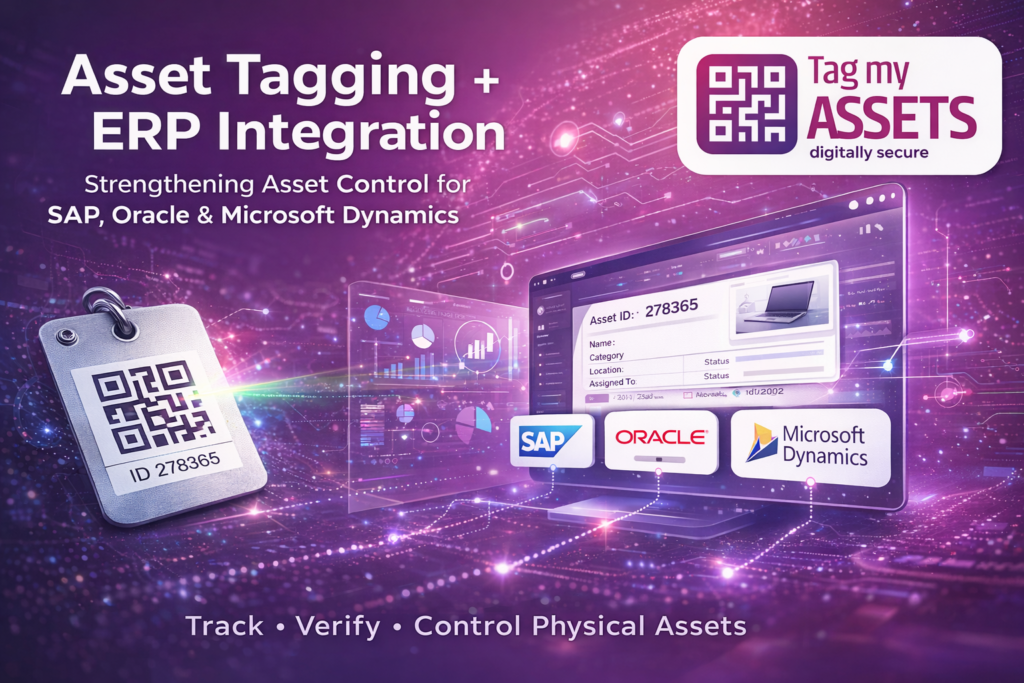
Asset tagging ERP integration means two systems working on the same assets from different ends: the ERP holds the financial record, tagging and verification hold the physical one.
These ERP platforms already include powerful features such as:
- Fixed asset registers
- Depreciation calculation
- Asset capitalization
- Financial reporting
However, ERP systems depend heavily on accurate physical asset data. If assets are moved, misplaced, or not verified on the ground, the ERP asset register may slowly become inaccurate.
This is why many organizations implement Asset Tagging and Physical Asset Verification systems alongside ERP platforms.
ERP manages the financial life of assets, while asset tagging manages the physical life of assets.
Why ERP Systems Still Need Asset Tagging
ERP systems are designed primarily for financial asset accounting, not for tracking physical assets across buildings, departments, or employees.
For example, ERP can show:
- Asset purchase value
- Depreciation
- Asset ID
- Cost center
But ERP usually cannot instantly answer operational questions like:
• Where exactly is the asset located?
• Which employee is using the asset?
• Has the asset been moved to another department?
• Is the asset physically available during audit?
Without physical asset identification and verification, ERP records may slowly diverge from reality.
What Is Asset Tagging in ERP Environments?
Asset tagging involves assigning a unique identification tag to every physical asset.
These tags may include:
- QR code asset tags
- Barcode asset labels
- RFID asset tags
- Durable metal asset tags for machinery
Each tag contains a unique asset ID that links the physical asset with the asset register maintained in the ERP system.
Using a mobile asset verification system, organizations can instantly scan assets and update their status.
How Asset Tagging Works with ERP Systems
How Asset Tagging ERP Integration Works in Practice
Asset tagging systems do not replace ERP platforms. Instead, they complement them by providing physical verification data.
A typical workflow looks like this:
Step 1 – Asset Purchase
Assets are purchased and recorded in the ERP asset register.
Step 2 – Physical Asset Tagging
Each asset receives a unique QR code or barcode tag.
Step 3 – Asset Data Capture
Using mobile verification tools, the following details are recorded:
- Asset ID
- Location
- Department
- Employee allocation
- Serial number
- Asset photograph
Step 4 – Asset Movement Tracking
When assets move between departments or employees, the changes can be recorded through scanning.
Step 5 – Periodic Physical Verification
During audits, assets can be verified quickly using scanning instead of manual checking.
7 Smart Benefits of Asset Tagging for ERP-Based Companies
1 Improved Asset Visibility
Tagged assets can be easily located and verified across multiple locations.
2 Better Asset Movement Control
Companies can track assets transferred between departments, employees, or buildings.
3 Faster Physical Audits
Auditors can verify assets quickly by scanning asset tags.
4 Ghost Asset Identification
Assets appearing in ERP but not found physically can be identified and corrected.
5 Improved Asset Allocation Tracking
Organizations can monitor which employee or department is responsible for each asset.
6 Stronger Internal Controls
Asset tagging reduces asset loss, misplacement, and unauthorized transfers.
7 Reliable ERP Asset Registers
Regular physical verification ensures ERP asset records remain accurate.
This is where Asset Tagging ERP Integration becomes extremely valuable for large organizations.
Where Asset Tagging Is Most Useful in ERP Companies
Asset tagging is especially helpful for tracking assets such as:
- Laptops and IT equipment
- Office furniture
- Manufacturing machinery
- Network devices
- Laboratory equipment
- Warehouse infrastructure
These assets frequently move between locations and departments, making physical tracking essential. To understand asset tagging in detail, read our complete guide on asset tagging.
How TagMyAssets Supports ERP-Based Organizations
TagMyAssets provides specialized services for companies that already use ERP systems but need better control over their physical assets.
Our services include:
- Physical asset verification
- QR code and barcode asset tagging
- Mobile-based asset scanning
- Asset movement tracking
- Fixed asset register reconciliation
- ERP-ready asset data reports
This helps keep the ERP asset register aligned with the assets on the ground.
Conclusion
ERP systems such as SAP, Oracle, and Microsoft Dynamics are powerful tools for managing asset accounting. However, they depend on accurate physical asset information.
By combining asset tagging with ERP systems, organizations gain visibility over both the financial and physical lifecycle of assets.
For a complete understanding, read our detailed guide on
asset verification services in India .