
Published by TagMyAssets | Asset Management Insights
Managing assets across multiple locations sounds straightforward on paper — track what you own, where it is, and what condition it’s in. But the moment your organization spans hundreds of stores spread across the country, the reality is far messier than any software demo suggests.
We executed a large-scale asset tagging and verification program for a national retail chain — approximately 1,000 stores tagged and verified across the entire estate. The execution demonstrated, in real and sometimes humbling ways, how centralized asset management, structured mobile workflows, and rigorous reconciliation can help address multi-location challenges — and where even the best-planned programs run into walls no whitepaper warned you about.
Multi-location asset verification becomes exponentially harder when assets span hundreds of geographically distributed sites — each with its own data formats, access restrictions, connectivity levels, and operational rhythms.
Here is what we learned: the technology challenges, the operational realities, and the on-ground surprises that rarely appear in software demos or proposal documents.
Who should read this: If you are a CFO trying to clean up a messy fixed asset register, a COO managing distributed infrastructure, or an IT Director planning a hardware refresh across 50+ locations, these realities apply directly to you.
Key Takeaways
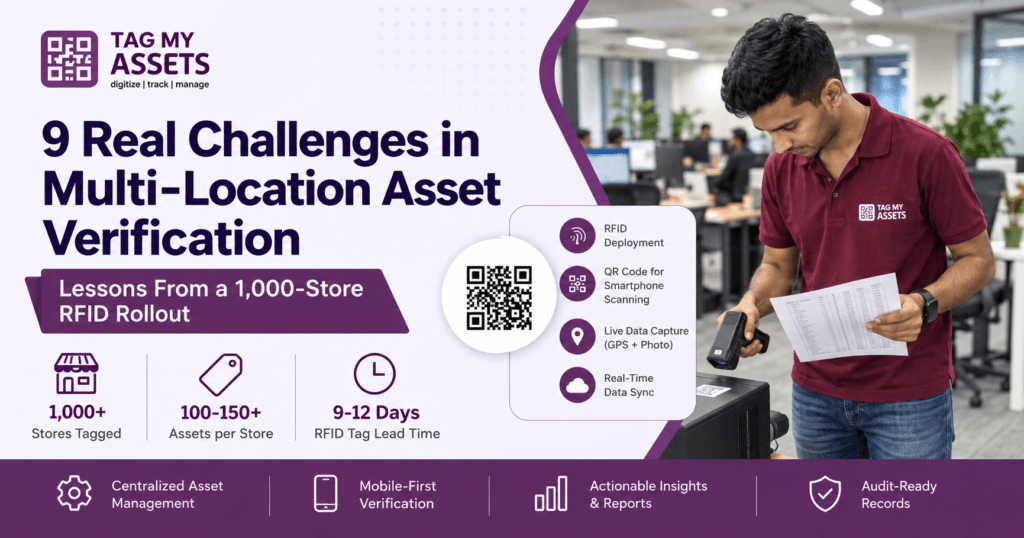
✓ Approximately 1,000 stores completed in a PAN India rollout
✓ RFID deployment with embedded QR architecture — no reader hardware needed in the field ✓ RFID tag lead times: 9–12 days from design to delivery
✓ Asset count variance: 100–150+ per store ✓ Store access windows vary by location and must be scheduled with each store ✓ Regional elections and festivals must be treated as scheduling variables, not edge cases
Table of Contents
- The Program at a Glance
- How We Tag: RFID + Embedded QR Architecture
- Data Silos Across Sites
- Tagging Technology Challenges
- GPS & Indoor Location Tracking
- User Adoption Problems
- Real-Time Visibility & Reporting Lag
- Audit Trail & Compliance
- ERP Integration
- On-Ground Execution Challenges
- RFID Supply Chain Risks
- Frequently Asked Questions
The Program at a Glance
Client: A national retail chain with Approximately 1,000 store locations across India
Scope: Full asset tagging and physical verification across the estate — complete
Assets covered: Store fixtures, IT equipment, refrigeration units, security systems, back-office equipment, and more
Status: Complete — tagging and physical verification executed across the estate
Before TagMyAssets stepped in, the retailer had no unified view of what assets existed across their estate. Finance was working off depreciation schedules that hadn’t been physically verified in years. Store managers maintained their own local records — spreadsheets, handwritten logs, or nothing at all. Duplicate assets, ghost assets (on the books but physically gone), and unrecorded additions were widespread.
This program isn’t just a tagging exercise. It was a sustained lesson in the technology, logistics, and operational realities of multi-location asset verification.
How We Tag: RFID Tags with Embedded QR Codes
Every asset in this program received a single durable RFID tag. Printed directly on each RFID tag is a QR code that encodes the same unique tag number as the RFID chip. This architecture is deliberate and solves one of the biggest cost barriers in enterprise RFID deployment.
RFID readers — which can scan multiple tags simultaneously without line-of-sight — are valuable for bulk verification and high-density environments. But reader hardware is a significant capital cost per unit, and deploying readers across 1,000 stores is neither operationally feasible nor economically justified for routine data capture.
Instead, after affixing the RFID tag to each asset, the field auditor uses the TagMyAssets mobile app to scan the QR code printed on that same tag. The scan instantly pulls up the asset record, and the auditor captures all required details on the spot: asset name, category, GPS coordinates (latitude and longitude), condition, and a photograph. This data syncs in real time to the central TagMyAssets platform.
The result: every asset is physically tagged with durable RFID for long-term automated scanning capability, while all data capture during the verification program uses smartphones and QR codes — no specialist reader hardware required in the field.
Tagging Model Comparison
| Model | Hardware Requirement | Initial Cost | Long-Term Tracking | Field Verification |
|---|---|---|---|---|
| QR Only | Smartphone | Low | Limited | Easy |
| RFID Only | RFID Readers (capital cost per unit) | High | Excellent | Complex |
| TagMyAssets (RFID + Embedded QR) | Smartphone + Optional Readers | Tag cost higher than QR-only, no reader outlay | Excellent | Easy |
Program by the Numbers
| Metric | Approx. Scale |
|---|---|
| Stores in rollout | Approximately 1,000 |
| Asset count per store | Approx 100 to 150+ |
| RFID tag lead time (print + courier) | 9–12 days |
| Execution geography | PAN India — multiple states and regions |
*Figures are approximate and reflect the engagement as delivered.
1. Data Silos Across Sites
One of the most persistent problems in multi-location environments is fragmented data. Store A runs one system. The regional office uses a spreadsheet. The satellite branch still relies on manual logs. When audit time arrives, reconciling these disconnected sources into a single source of truth becomes an enormous, error-prone effort.
In our retail project, we encountered multiple data formats and record-keeping methods across 1,000 stores. Some stores had detailed asset lists; others had nothing. Merging these into a clean master register before the physical verification even began was a significant data engineering challenge.
The technology challenge isn’t just integration — it’s real-time synchronization. Even when organizations invest in a centralized asset management platform, local teams often revert to familiar offline methods, creating shadow records that undermine the system’s integrity.
What’s needed: A platform easy enough for any site-level user to adopt, that updates in real time across all sites — so every team is always working from the same single source of truth, with no reconciliation required. Reliable internet connectivity at each site is a prerequisite, making it worth auditing your network coverage before rolling out any cloud-based Fixed Asset Management system.
2. Tagging Technology and Scanning in the Field
Traditional barcode and QR-only approaches expose serious limitations at scale in multi-location deployments:
- Label degradation in harsh environments (warehouses, outdoor depots, stockrooms, refrigerated areas) makes scanning unreliable over time.
- Multiple label formats across sites lead to scanning errors when devices aren’t configured for each format.
- Manual scanning bottlenecks slow down large-scale audits — verifying thousands of assets across a 10-site estate using handheld scanners is still a days-long process.
In the retail chain project, we deployed durable RFID tags with QR codes printed directly on each tag. Field auditors use the TagMyAssets mobile app to scan the QR code on each tag and capture the full asset record — no specialist hardware needed, just the auditor’s smartphone. Retail stores include demanding environments: stockrooms with poor lighting, refrigerated areas, high-traffic zones where labels take physical abuse. We were deliberate about tag material specification and placement to ensure scan reliability held up not just on day one, but over each asset’s operational life.
The RFID layer on every tag means that once reader infrastructure is available — for periodic bulk audits or high-density stockroom sweeps — the asset estate is already fully prepared for it, without any re-tagging.
Verifying 1,000 stores with traditional barcode scanners and manual logging would have taken months. With mobile QR scanning and centralized real-time syncing, our teams turned each store around in a single session.
What’s needed: A hybrid tagging strategy — RFID tags with embedded QR codes — managed under one unified platform, scannable from any smartphone for daily operations, and RFID-reader-compatible for future bulk verification programs. Learn more about our comprehensive Fixed Asset Tagging Services to see how we handle tag engineering across diverse asset surfaces and environments.
3. GPS and Location Accuracy Indoors
Knowing an asset is “at Store 412” is rarely specific enough. Store operations need to know whether a refrigeration unit is in Aisle 3, whether a particular POS terminal is at checkout counter 2, or whether a security camera covers the stockroom entrance.
Outdoor GPS is reliable. Indoor asset location is not. Most GPS-based systems lose accuracy the moment assets move into buildings.
In our retail project, we solved this with a zone-based location hierarchy built into TagMyAssets. Each store was mapped as a location, with sub-zones for stockroom, shop floor, back office, and checkout area. Every asset was tagged to its precise zone — not just “Store 412” but “Store 412 > Shop Floor > Aisle 3.” During the physical verification, field teams assigned and confirmed zone locations as they scanned each asset via the QR code, giving the retailer a level of location granularity they had never had before. GPS coordinates captured at the time of scanning provide an additional location anchor for each asset record.
What’s needed: Hybrid location tracking that combines site-level GPS awareness with zone-based indoor logic, where assets are assigned to logical locations (rooms, zones, racks) that can be verified and updated quickly during audits.
4. User Adoption and Training Across Distributed Teams
Technology is only as effective as the people using it. In multi-location asset verification, training and adoption are disproportionately difficult because:
- Site teams have different levels of technical literacy.
- High staff turnover in operational roles means constant retraining.
- Remote sites may lack dedicated IT support when issues arise.
- Processes that work intuitively at headquarters often feel cumbersome in the field.
With 1,000 retail stores, we couldn’t place a trained TagMyAssets specialist in each location. Field teams were briefed, equipped with the mobile app, and expected to execute the verification with minimal hand-holding. The app had to be intuitive enough for field agents — many of whom had never used an asset management system — to pick up in minutes.
We structured the workflow to be as simple as possible: open app, select your store, scan the QR code on the RFID tag, confirm or complete the asset details (name, location zone, condition, photo), move to the next one. No complex menu navigation. No mandatory fields that slowed people down. Role-based access meant field verifiers saw only what they needed — no distracting features, no risk of accidental data changes.
What’s needed: Mobile-first interfaces designed for field use, not desktop use. Simplified workflows that require minimal training. Role-based access so field workers see only what’s relevant to their tasks.
5. Real-Time Visibility and Reporting Lag
When an asset is verified at Store 412 on a Tuesday afternoon, how long does it take for that record to appear in the central dashboard? In many organizations, the answer is days — or never.
This reporting lag creates a dangerous gap between what the system shows and what’s actually happening on the ground. For our retail client, their finance team had been making depreciation and insurance decisions based on records that were years out of date.
During the 1,000-store program, every QR scan syncs to the central TagMyAssets platform in real time. The operations lead at head office can watch the verification progress store by store, in live dashboards, as field teams work. As each store is completed, the asset register becomes current, verified, and audit-ready — not weeks later, but immediately.
What’s needed: Event-triggered updates — every asset scan, status change, or location update should automatically push a timestamped record to the central system, giving head office a live view of what’s happening across every site.
6. Audit Trail Integrity and Compliance
Multi-site organizations in regulated industries — retail included — face requirements around asset records for insurance, tax depreciation, and financial reporting. Under Ind AS 16 and AS 10 (Property, Plant and Equipment), organizations are required to maintain accurate records of asset cost, useful life, and carrying amount — records that depend entirely on physically verified, up-to-date data. Auditors and insurers want to know not just where an asset is today, but when it was last verified and by whom.
For our retail chain client, one of the most valuable outputs of the project was a complete, timestamped audit trail for every asset in the estate. Every scan recorded who verified it, when, at which location (including GPS coordinates), and what condition was noted — along with a photograph of the asset in situ. This gave their finance team defensible, auditor-ready records for the first time — replacing years of assumed data with physically verified evidence.
Ghost assets — items on the books that no longer existed — were identified and flagged for write-off. Unrecorded assets found during the verification were added to the register immediately. The result was a cleaner fixed asset register and a more accurate balance sheet.
What’s needed: Timestamped audit logs with a full change history. Automated audit scheduling with alerts when verifications are overdue. Digital sign-off for high-value or regulated assets. Our Inventory Verification Services are structured around exactly these requirements.
7. Integration with ERP and Finance Systems
Asset verification data is most valuable when it flows into the systems that need it — ERP platforms, finance systems, depreciation schedules, insurance registers. But integration in multi-location environments is notoriously difficult:
- Different sites may run different ERP instances or versions.
- Custom fields and taxonomy used locally don’t map cleanly to enterprise systems.
- IT teams are reluctant to open API access without rigorous security review.
In the retail project, the client’s finance team needed the verified asset register to feed directly into their depreciation and insurance workflows. We structured the TagMyAssets export in a format compatible with their finance system, ensuring asset categories, acquisition dates, and condition ratings mapped cleanly — eliminating the manual rekeying that had previously introduced errors.
What’s needed: Flexible export formats and API capability for connecting with ERP and finance platforms, with a consistent data taxonomy enforced at the point of entry to ensure clean downstream mapping.
8. On-Ground Execution Challenges Nobody Talks About
Every asset management vendor will tell you about their platform’s features. Almost none will tell you what actually happens when you try to execute a 1,000-store program on the ground. This section is for the operations leads, project managers, and CFOs who need to know what they’re really signing up for.
These are the people, access, and logistics challenges we encountered on the ground.
A. Store Access Windows
Retail stores don’t pause for asset verification. Tagging teams work alongside live trading, which means coordinating with each store on when access is possible and working around customer footfall, deliveries and staff availability. Access windows vary store to store, and productivity planning has to account for that from day one rather than assuming a uniform working day. We didn’t fully anticipate the cumulative schedule impact early on, and had to restructure our weekly targets as a result.
B. Local Manager Resistance (The Corporate Disconnect)
This one surprises most clients. Even with a formal authorization letter from the retailer’s head office, individual store managers sometimes refused entry to tagging teams — citing security concerns, lack of local communication, or simply not having been informed by their regional managers. In a PAN India rollout, you cannot assume that a corporate sign-off automatically translates to smooth on-ground access. We’ve had to build an escalation path with the client’s regional operations team specifically to handle same-day access refusals, which add cost and scheduling complexity.
C. Wild Asset Count Variances
Before the program started, the assumption was that stores of similar size would have roughly similar asset counts. The reality: across the estate, asset counts ranged from around 100 assets in smaller format stores to over 150 in larger ones — and some high-footfall stores with in-store cafes, extensive refrigeration fit-outs, or large stockrooms went higher still. The spread between smallest and largest is wide enough to break a uniform resourcing plan.
This isn’t just a planning curiosity — it has a direct and significant impact on productivity estimates and manpower planning. A team sized and scheduled for a 100-asset store will be under-resourced at a 150-asset store. Multiply that miscalculation across hundreds of stores in a phase and your entire schedule slips. We’ve learned to do a rough asset count assessment — based on store format, size, and category — before locking field team allocation for each batch.
D. Connectivity Gaps (The Data Integrity Non-Negotiable)
TagMyAssets syncs data in real time when connected to the internet. In practice, store-level internet connectivity across 1,000 locations in India is inconsistent. Some stores had strong Wi-Fi; others had mobile data only; a few had connectivity so poor that syncing was unreliable during the tagging session.
Because TagMyAssets prioritizes real-time data integrity to prevent duplicate entries, missed assets, or mismatched records, an active connection is used to instantly verify each QR scan against the live database the moment it is captured. In low-connectivity zones, field teams deployed mobile hotspots to maintain the secure, active connection required by TagMyAssets — this real-time validation instantly authenticates each asset against the cloud database, helping prevent duplicate entries, missed assets, and mismatched records before the agent moves to the next asset. Conducting a quick connectivity check at each store before the tagging session begins is now a standard step in our field protocol.
E. Local Manpower Variability (The Consistency Problem)
You cannot fly a central team to 1,000 stores across the country. PAN India execution depends on local manpower — trained field agents sourced region by region. The challenge is consistency. A field agent in Bengaluru and a field agent in a Tier 3 city in Uttar Pradesh will have different levels of familiarity with the app, different attention to label placement quality, and different abilities to handle on-ground exceptions. Building a training protocol that works across this diversity — and building quality checks into the platform so errors are caught before teams leave the store — has been one of the more demanding operational problems we’ve had to solve.
F. Festivals, Elections & Bandhs (The Calendar Risk Nobody Plans For)
India’s calendar is full of events that bring commerce to a standstill — state elections, local festivals, bandhs, and public holidays that vary by region. A schedule that looks clean on paper in January can be severely disrupted by a state election in March or a major festival weekend in April. In our program, we maintain a rolling regional calendar and build buffer weeks into the schedule specifically for event-related disruptions. Any organization planning a multi-state rollout in India needs to treat this as a project management variable, not an edge case.
9. The RFID Tag Supply Chain Problem — Capital, Quantity, and Lead Time
This deserves its own section because it is, in our experience, the single most underestimated operational risk in any large-scale RFID rollout. Most vendors don’t mention it. Most clients don’t ask about it until it’s already causing delays.
To briefly clarify the technology setup in this program: every asset receives a single RFID tag with a QR code printed directly on it. The QR code is used by field auditors with smartphones for all data capture during the verification — no RFID reader hardware is needed in the field. The RFID capability on each tag is there for future bulk scanning and periodic verification cycles using reader equipment. This means the RFID tag supply chain is central to the entire program — if tags aren’t on site and ready, the job cannot start.
The Quantity Dilemma: Too Many or Too Few, Both Cost You
RFID tags are significantly more expensive than printed QR-only labels. Sending excess tags to each store ties up capital in inventory sitting idle across hundreds of locations simultaneously. But sending too few is worse: your field auditor runs short mid-tagging, cannot complete the store, and has to return for a second visit — effectively doubling the manpower cost for that store.
Asset Surface Variability Makes This Harder
Not all assets are tagged on the same surface. Wood, metal, laminate, glass, and plastic all behave differently. Metal surfaces interfere with standard RFID tags, requiring specialist on-metal RFID variants that are more expensive, produced in smaller volumes, and have longer procurement lead times. Predicting how many on-metal vs. standard tags each store will need — before you’ve physically been inside — is genuinely difficult, especially with the 100-to-150+ asset count variance across stores.
During our rollout, a shortage of on-metal RFID tags at a critical phase forced us to temporarily defer tagging of specific metal-surface asset categories at certain stores and schedule return visits — adding unplanned cost and site visits to those batches.
The Lead Time Reality Leaves Almost No Room for Error
| Step | Time Required |
|---|---|
| RFID tag design and print | ~7 days |
| Courier dispatch — metro cities | 2–3 days |
| Courier dispatch — Tier 2/3 cities and towns | 3–5 days |
| Total minimum lead time | 9–12 days |
If your asset count estimate for an upcoming batch is wrong — and given the variance we described above, it often is — you cannot quickly correct it. By the time you identify the shortage and reorder, your schedule has already slipped by two weeks minimum. Wrong planning doesn’t just cause a gap in one store; it cascades across the entire regional batch.
How We’re Managing It
Our response has been threefold: build a tiered tag quantity buffer by store format category (small, medium, large) rather than using a single average; conduct pre-visit store surveys for ambiguous or large-format stores before committing to tag orders; and maintain a small regional buffer stock of the most common tag types — both standard and on-metal — to absorb overruns without a full reorder cycle. None of this eliminates the problem entirely, but it has significantly reduced the frequency of repeat visits and schedule disruptions.
These aren’t complaints — they’re the real texture of executing at scale. We’re documenting them because any organization planning a similar program deserves to know what’s coming, and because navigating these challenges well is exactly what separates a successful rollout from a stalled one. Organizations planning multi-location asset verification projects should treat logistics, connectivity, and tag supply as strategic variables — not afterthoughts.
What the 1,000-Store Program Demonstrated
Executing at this scale exposes every weakness — in the tools, in the process, and in the field. Here’s the honest picture:
| Challenge | How We’re Addressing It |
|---|---|
| Fragmented data across 1,000 stores | Single centralized register, all data onboarded and standardized |
| Tagging in varied retail environments | Durable RFID tags with QR codes; smartphone scanning, no specialist reader hardware in field |
| Indoor location precision | Zone-based hierarchy: store > area > specific location; GPS coordinates captured per asset |
| Field team adoption across diverse geographies | Simple mobile app, structured training, role-based workflows |
| Real-time progress visibility for head office | Live central dashboard updated as teams scan each store |
| Audit-ready records from day one | Timestamped, verified, and photo-documented — ready for finance and insurers |
| Finance system integration | Structured export compatible with client’s ERP/finance platform |
| Store access refusals | Regional escalation path with client’s operations team |
| Connectivity issues | Pre-visit connectivity check now standard in field protocol |
| Tag type variability by asset surface | Asset surface assessment added to pre-tagging checklist |
| RFID tag quantity planning | Tiered buffer by store format + pre-visit surveys for large stores |
| RFID lead time risk | 9–12 day lead time built into batch scheduling; regional buffer stock maintained |
How TagMyAssets Can Do the Same for You
Whether you’re managing 10 locations or 10,000 — whether you’re in retail, warehousing, manufacturing, or financial services — the technology and operational challenges are the same. Just at different scales.
TagMyAssets is a field services firm that operates its own verification applications, built for exactly this kind of work:
- Centralized, real-time asset register across all sites with role-based permissions
- Mobile app with real-time sync — every QR scan updates the central register instantly, with GPS coordinates and photo capture built into the workflow. Because TagMyAssets prioritizes real-time data integrity, an active internet connection is used to verify each scan against the live database the moment it is recorded — preventing duplicates, missed assets, and mismatched records.
- RFID + QR hybrid tagging — RFID tags with embedded QR codes for future-ready bulk scanning capability, with zero specialist hardware required for day-to-day field verification
- Location hierarchy captured at verification — site, building, floor, zone and room recorded against each asset
- Verification cycles planned and executed by our field teams, with progress tracked location by location
- Timestamped audit trails with full history, GPS data, and photographs for every asset
- Flexible export and API capability for ERP and finance system integration
Multi-location asset verification doesn’t have to be a quarterly scramble. With the right tagging approach and the right execution partner, it becomes a structured, reliable program — one that gives your organization a true and current picture of what it owns, where, and in what condition.
We executed it across approximately 1,000 stores. We understand the operational realities, planning challenges, and execution requirements involved in deployments at this scale.
If you are planning a multi-location rollout, we can scope it against your site count, asset volume and access constraints — manpower, tag quantities, timelines and cost — before deployment begins. Contact TagMyAssets to discuss the requirement.
Frequently Asked Questions
What is multi-location asset verification and why is it important for enterprises?
Multi-location asset verification is the process of physically confirming that every asset recorded in an organization’s register actually exists, is in the condition stated, and is located where the system says it is — across all sites simultaneously. It combines physical tagging (RFID tags with embedded QR codes), mobile smartphone scanning, GPS and photo capture, and a centralized platform to produce an accurate, auditable asset register across an entire estate.
Why do asset verification projects fail across multiple sites?
Most failures come down to four root causes: fragmented data that was never properly consolidated before the project began; poor adoption of the scanning tool by field teams who find it cumbersome; underestimating the logistics of PAN India or multi-state execution (access restrictions, local manpower variability, connectivity gaps); and inadequate planning for tag supply — particularly RFID quantity and lead times. Projects that treat verification as a software problem, rather than an operations problem, almost always run into trouble.
How does RFID help in asset verification?
RFID allows assets to be identified without line-of-sight scanning — a reader can detect multiple tagged assets simultaneously, speeding up verification significantly in high-density environments like warehouses or large retail stockrooms. However, RFID comes with real trade-offs: higher tag cost, 9–12 day print and courier lead times, surface sensitivity (metal assets require specialist on-metal tags), and reader infrastructure costs. In this program, we solve this by placing RFID tags with embedded QR codes on every asset — auditors use smartphones to scan the QR code for all field data capture, while the RFID chip on the same tag provides full bulk-scanning capability when reader hardware is deployed for periodic verification cycles.
How long does a 1,000-store asset verification rollout take?
Based on the completed programme, execution time depended heavily on store access windows, asset count per store (which can vary from ~100 to 150+ per location), regional logistics, and the RFID tag supply chain. A realistically planned program — accounting for access restrictions, local holidays, connectivity checks, and tag lead times — typically runs in phased regional batches over several months. A compressed timeline without buffer for these variables almost always leads to repeat visits, cost overruns, and schedule slippage.
Is QR or RFID better for fixed asset verification?
Neither alone is the right answer — the choice depends on your scale, environment, and long-term plans.
QR codes are low-cost, require only a smartphone to scan, and work well for straightforward environments where line-of-sight scanning isn’t a barrier. The limitation is that QR codes must be scanned one at a time, making large-scale bulk verification slow and manpower-intensive.
RFID enables bulk scanning without line-of-sight — a single reader can identify dozens of tagged assets simultaneously, making it far faster for high-density environments like stockrooms or warehouses. The trade-off is cost: RFID tags are significantly more expensive than printed QR labels, and RFID reader hardware carries a significant per-unit capital cost — making it impractical to deploy readers across hundreds of distributed locations just for routine data capture.
The most practical approach for enterprise fixed asset verification at scale is a hybrid: RFID tags with a QR code printed directly on each tag. Field auditors use smartphones to scan the QR code for all data capture during the verification — no reader hardware needed in the field. The RFID chip on the same tag provides full bulk-scanning capability when readers are available for periodic audits or high-density sweeps. This is the architecture TagMyAssets used across the 1,000-store programme: RFID tagging on every asset, with smartphone-based QR scanning for all field data entry.
City-Wise Asset Verification Challenges Across India: Field Lessons
Field Insights from the TagMyAssets Operations Team
Based on asset tagging and verification projects across 1,500+ locations — including retail stores, auto component manufacturing plants, IT campuses, corporate offices, warehouses and managed office space across India — our teams have encountered a consistent pattern: every city teaches different lessons. The technology may be the same. The process may be standardized. But the operational reality on the ground is different in every city.
Here is what we have observed.
City | Primary Industries | Biggest Challenge | Our Solution
Gurugram | IT offices, BFSI, coworking | Security access restrictions | Pre-approved floor scheduling, access booked in advance
Faridabad | Auto components, heavy manufacturing | Metal surfaces, ghost assets | Anti-metal RFID tags, FAR cleanup before tagging
Delhi | Media, healthcare, government | Asset diversity across categories | Category-wise specialist teams
Mumbai | BFSI, corporate offices, retail | High-rise vertical buildings | Floor-by-floor scheduling, freight elevator coordination
Pune | Auto components, multi-plant manufacturing | Multiple FARs, inconsistent records | FAR reconciliation before tagging begins
Bengaluru | IT, software, startups | Frequent asset movement | Mobile app-based real-time scanning
Hyderabad | IT, pharma, manufacturing | Large campus layouts | Zone-wise team deployment
Chennai | Automotive, heavy engineering, IT | Industrial asset diversity | Tag-type planning before mobilisation
Gurugram: Corporate Offices and Coworking Spaces
Industries served: Corporate offices, IT companies, BFSI firms, coworking spaces, facility management companies
Gurugram’s corporate belt — from Cyber City to Golf Course Road — presents a unique challenge: high asset density in compact office floors. Assets here typically include laptops, desktops, servers, network switches, access points, IP phones, office furniture, projectors, and air conditioning units — all packed across multi-floor buildings with strict access protocols.
On corporate office projects in Gurugram, tagging is scheduled around occupancy so business disruption stays minimal — quieter periods, meeting-room and server-room access booked in advance, and floors taken in sequence rather than all at once.
The biggest challenge is not volume — it is access. Security protocols, multiple tenants in shared coworking spaces, and floor-wise clearance requirements demand precise advance coordination with facility managers. Without this, field teams lose 2 to 3 hours per floor simply waiting for approvals.
In our experience, FAR mismatches in Gurugram corporate offices are frequently found in IT equipment — laptops and monitors transferred between employees or floors without formal asset movement records being updated.
Faridabad: Heavy Manufacturing and Plant Environments
Industries served: Auto components, steel and engineering, heavy manufacturing, industrial equipment, precision tools
Faridabad’s industrial belt is where asset tagging becomes physically demanding. Assets here include CNC machines, hydraulic presses, conveyors, dies and moulds, compressors, material handling equipment, forklifts, and factory electrical infrastructure — spread across large floor areas in high-temperature, dusty environments.
Standard QR code labels fail within weeks on metal surfaces in these environments. Anti-metal RFID tags or polyester-laminated barcode labels with industrial-grade adhesive become essential. On manufacturing projects in Faridabad, our teams have found that a substantial share of assets in a typical plant require specialised tagging solutions beyond standard labels.
In our experience, ghost assets are frequently encountered during manufacturing asset verification projects in Faridabad — equipment retired informally, transferred between plants without FAR updates, or sitting idle for years with no record of formal disposal. These are precisely the assets that create CARO 2020 audit observations.
Delhi: Media Companies and Large Office Complexes
Industries served: Media and broadcasting, government and PSUs, corporate offices
In Delhi’s large corporate offices and media organisations, the challenge is asset diversity. A single office complex may contain broadcast cameras, editing servers, studio lighting, IT infrastructure, medical diagnostic equipment, vehicles, security systems, and general office furniture — all under one FAR but with completely different tagging and verification requirements.
Our Delhi projects required multi-team deployment with category-wise specialists rather than a single generalist field team. Deploying category-wise specialists rather than a generalist team materially shortens verification time in mixed-asset environments.
In our experience, FAR mismatches are most frequently found in broadcast and studio equipment in Delhi — assets that have been upgraded or replaced but never formally retired from the register.
Mumbai: High-Rise Offices and BFSI Compliance
Industries served: BFSI, corporate offices, media and entertainment, retail chains, FMCG manufacturing
Mumbai projects demonstrated clearly that vertical density creates its own operational problems. Assets spread across 20 or more floors in BKC, Nariman Point, or Lower Parel towers — including servers, UPS systems, trading terminals, office furniture, and security infrastructure — require floor-by-floor scheduling.
A single verification team cannot cover an entire high-rise building in one day. On a typical 25-floor Mumbai corporate office, our teams plan for 3 to 4 days of execution with parallel teams operating on different floors simultaneously. Freight elevator booking, security clearance per floor, and restricted server room access are standard operational hurdles that must be resolved before mobilisation.
BFSI clients in Mumbai consistently have the strictest compliance requirements. Every asset must be photographed with GPS coordinates, reconciled against the FAR, and signed off by the floor custodian before the team moves to the next floor.
Pune: Auto Components and Multi-Plant Manufacturing
Industries served: Auto components, engineering and manufacturing, IT, pharmaceuticals, corporate offices
Pune’s manufacturing ecosystem — particularly in PCMC, Chakan, and Pimpri — involves companies with assets spread across 3 to 5 plants within the same city. Each plant typically maintains its own FAR, its own custodians, and its own asset numbering convention.
The reconciliation challenge in Pune is not finding assets — it is matching them across inconsistent records. On multi-plant Pune projects, we have consistently found that FAR cleanup and standardisation takes a large share of the total project time before physical tagging can even begin.
Assets here typically include CNC machining centres, assembly line equipment, testing rigs, pneumatic systems, office infrastructure, and IT equipment — all requiring different tagging approaches and different FAR line-item matching logic.
Bengaluru: IT Campuses and Rapid Asset Movement
Industries served: IT and software, electronics manufacturing, aerospace and defence, startups, R&D centres
Bengaluru’s IT sector creates a specific verification problem: asset movement is constant. Laptops, monitors, docking stations, keyboards, and peripherals move between employees, floors, and buildings every week. By the time a verification team arrives on-site, the FAR is already partially outdated.
Our Bengaluru projects required mobile app-based real-time scanning — where each scan instantly updated the central asset register with GPS location and photograph — rather than traditional checklist-based verification. Companies that attempted annual verification using static Excel spreadsheets consistently found significant discrepancies at the time of statutory audit.
Hyderabad: Pharma Campuses and Large IT Parks
Industries served: IT and technology, manufacturing, corporate offices.
Hyderabad’s HITEC City IT campuses and Genome Valley pharma clusters present scale challenges. A single pharma campus typically holds assets spread across laboratories, production facilities, warehouses, quality control departments, and administrative offices — each with distinct asset categories and different custodian structures.
In laboratory environments, equipment such as HPLC systems, spectrometers, incubators, centrifuges, and cold storage units requires especially careful FAR matching — these are high-value assets where even a single misclassification can create significant audit risk. Our delivered laboratory work in this category has been in diagnostics rather than pharma manufacturing.
On large campus layouts, the main constraint is distance and zoning rather than asset volume. Zone-wise team deployment with a dedicated coordinator per zone shortens verification time on large campus projects.
Chennai: Automotive Manufacturing and Heavy Engineering
Industries served: Automotive, heavy engineering, IT services, manufacturing, port-based logistics
Chennai’s manufacturing sector — particularly in Oragadam, Sriperumbudur, and Ambattur — is dominated by automotive OEMs and their supplier ecosystems. Asset verification here involves heavy machinery, stamping presses, paint shop equipment, conveyor systems, and precision tooling alongside standard office and IT infrastructure.
The biggest challenge in Chennai manufacturing environments is asset category diversity within a single plant — a Chennai automotive plant may have assets requiring metal-grade RFID, standard barcode labels, and manual numbering plates all within the same facility. Tag-type planning before mobilisation is essential to avoid delays and rework on-site.
Key Lessons From the Field
• FAR quality matters more than technology — a clean asset register before tagging always delivers better outcomes.
• Planning saves more time than manpower — one hour of advance coordination replaces three hours of on-site delays.
• Different assets need different tags — no single tag type works across all environments.
• Photo evidence reduces disputes — GPS-tagged photographs are the strongest audit support.
• Reconciliation should begin before fieldwork — not after.
• Every city is operationally different — what works in Gurugram does not automatically work in Mumbai or Chennai.
The Common Thread Across All Cities
Technology alone does not make an asset verification project successful. Success comes from combining accurate FAR records, the right tagging technology for each environment, disciplined field execution, and local operational experience.
After executing projects across 1500+ locations in India — from Gurugram corporate towers to Faridabad factory floors, from Mumbai high-rise offices to Chennai automotive plants — we have learned that every city presents different challenges. But a standardized methodology, adapted to local operational realities, ensures consistent and audit-ready results everywhere.
Contact TagMyAssets for a free consultation.
City-Wise Verification: Frequently Asked Questions
Which cities in India require RFID more often than QR tags?
Cities with heavy manufacturing environments — particularly Faridabad, Pune, Chennai, and parts of Hyderabad — require RFID more frequently due to metal-surface assets and high-volume asset counts. Corporate office cities like Gurugram and Bengaluru typically use QR or barcode tagging as the primary method.
Which city has the highest asset movement challenge?
In our experience, Bengaluru IT campuses and Gurugram corporate offices have the highest asset movement frequency — driven by frequent employee changes, desk moves, and equipment refreshes in the technology sector.
How long does multi-location asset verification take across cities?
A 500-asset corporate office typically takes 3 to 4 days. A manufacturing plant with 2,000 to 5,000 assets runs longer, with the total depending on team size, asset density and how much of the site is accessible during working hours. Multi-city projects are executed with parallel teams to compress overall timelines.
How do you maintain consistency across different city locations?
We use a standardized mobile app-based verification process across all locations — ensuring every asset scan captures the same data fields regardless of city. A central project coordinator monitors progress across all locations in real time.
What industries benefit most from structured asset verification in India?
Manufacturing, BFSI, retail chains, IT companies, warehousing and government organisations benefit the most — particularly those operating across multiple locations where FAR accuracy and CARO 2020 compliance are statutory requirements.